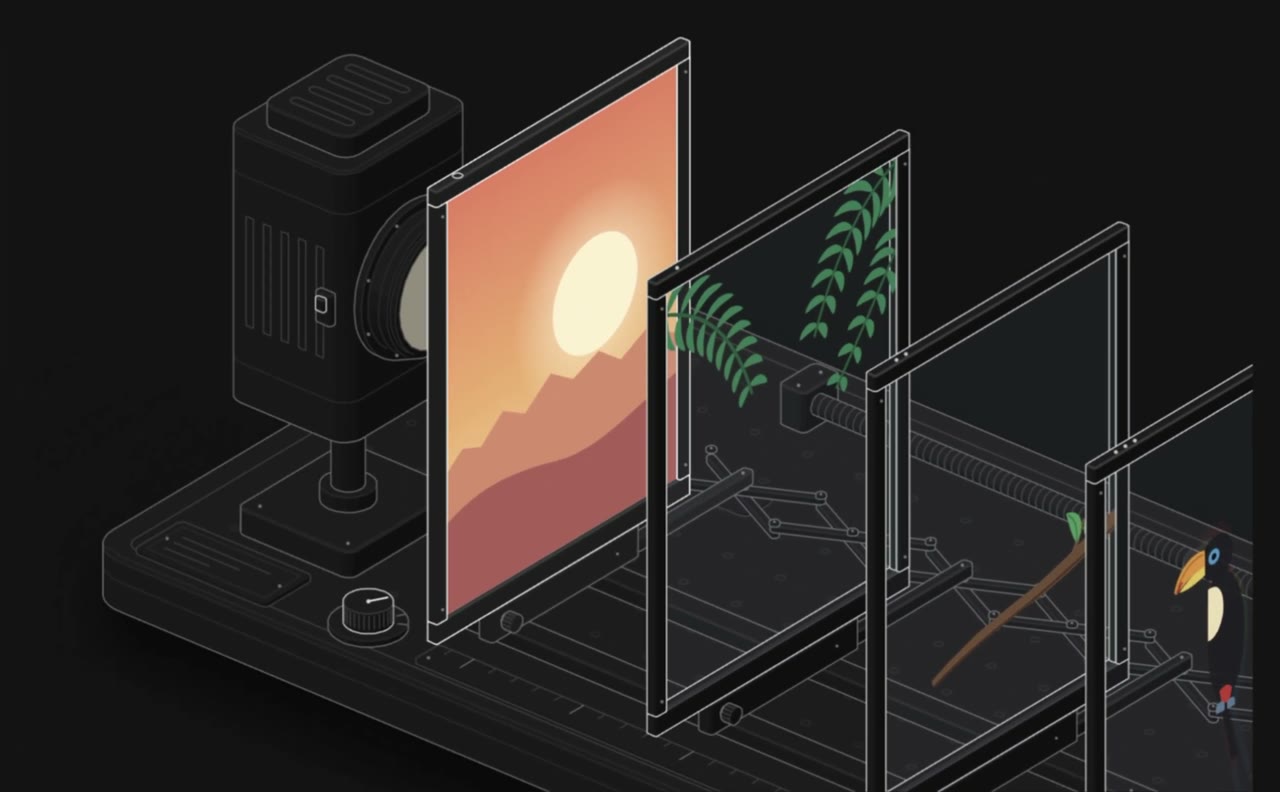
A 41-second Anatomy explainer: build caching shown as a pin-tumbler lock
From the OpenDrama Create Wiki
nicekate made a 41-second clip about Anatomy, an open-source agent skill. It opens on a boxes-and-arrows flowchart (input → cache key → skip build), then rebuilds the same idea as a pin-tumbler lock. She pitches it for tech explainers, teaching demos and showing how a product works inside. The post doesn't cover the edit, so the recording and editing steps below are our reconstruction.
Members read on
The rest of this page is for members
- 4 more steps
- 4 more sections
Create a free account, top up once — from $0.99 — and the whole wiki is yours.
- Every breakdown, Skill and Prompt
- New pages every day
- Prompts copy in one tap
Tags:#Animation#Claude Code#AI agents#WebGL#Editing
Written by the OpenDrama editors from a public post. Stills are quoted from the original video for commentary; tools, settings and steps are our own reconstruction. All rights in the original work stay with its creator — ask us and we take a still down.
Skills and prompts in this breakdown
More in Video
View all →The AI grandpa in a purple suit: how a recurring AI character clip is built to travel
A 19-second viral “AI grandpa” clip: how the character is locked by silhouette, shot as fake phone footage and cut to one late gag, and why retakes are the real cost.
Cinematic shot prompt: subject, camera, lens, light, motion
A fill-in template that turns a shot idea into a prompt video and image models read reliably: shot size, subject, action, camera, lens, light, look and motion, in that order, with keyframe and motion-only versions.
Keyframe image-to-video: start/end frames and chaining
Build AI video from designed stills instead of text: start and end frames, 5–10 s clips chained into a sequence with identity and light held steady, the best takes picked, then upscaled and interpolated.
Blender whitebox as a shot plan: lock layout and camera before you roll AI video
Sac has been driving AI video with Blender gray-box renders to cut rerolls. His side-by-side shows why: one prompt, two models, two different stagings. How the whitebox route works.