AI sound design for games and short videos
From the OpenDrama Create Wiki
Sound is half of how good a short video or a small game feels, and it's the half most AI creators leave for the last hour. The tools are no longer the bottleneck: music models (Suno and similar) write full tracks from a text brief, SFX models (ElevenLabs Sound Effects, Stable Audio and others) turn a sentence into a door slam or a forest at night, and some video models (Veo 3, Sora 2) generate sound together with the picture. What's left is craft: briefing each layer precisely, cutting it to time, mixing it to a loudness target and keeping the rights clean.
This page covers briefs for music, SFX and ambience; loops versus stingers for games; syncing to cuts and to gameplay events; loudness numbers per platform; and the licensing traps.
When to use it
- The visuals are good but the piece still feels "AI". Usually there's no ambience, the music is too loud, and actions on screen make no sound.
- Your game is silent, its music clicks at the loop point, or every footstep is the same sample.
- A trailer, ad or short drama needs music that lands on the cuts, not near them.
- You're about to publish: platforms normalise loudness, Content ID scans music, and stores ask whether content is AI-generated.
Think in four layers, each with its own job. Voice carries the story and is the anchor everything else is mixed against. Music sets emotion and pace. SFX (hard effects and Foley: hits, steps, cloth, UI) make actions feel physical. Ambience (room tone, wind, city, forest) tells the brain where you are, and its absence is the main reason AI video feels hollow. Generate and mix each layer separately; a single baked-in track can't be fixed later.
Members read on
The rest of this page is for members
- 10 more steps
- 3 copy-ready prompts
- 4 reference tables
- 6 more sections
Create a free account, top up once — from $0.99 — and the whole wiki is yours.
- Every breakdown, Skill and Prompt
- New pages every day
- Prompts copy in one tap
See also
Breakdowns that use this
More in Sound
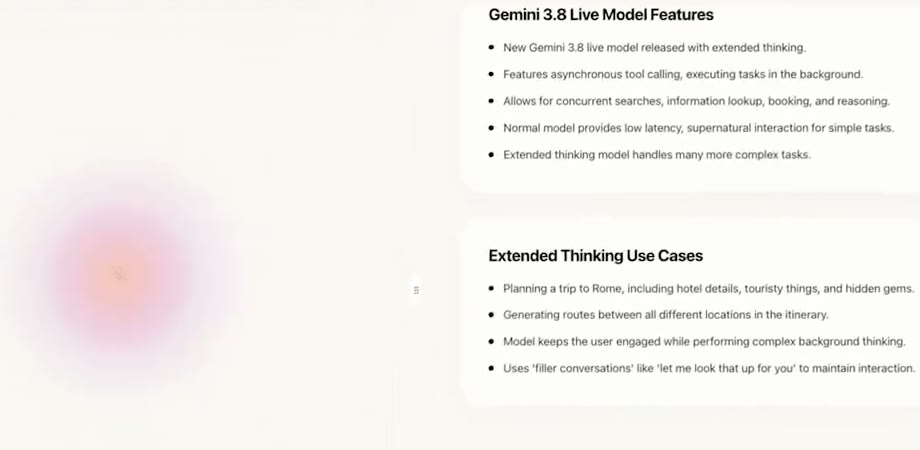
View all →Gemini 3.8 Live: talk through an idea, get a structured doc back, and what that means for voice in games
In genevieve__h's Clever Brainstorm demo, Gemini 3.8 Live holds a voice conversation while tool calls turn it into sections, open questions and actions. Here's the structure, and how to use it to pitch a game aloud or build a voice NPC that acts.
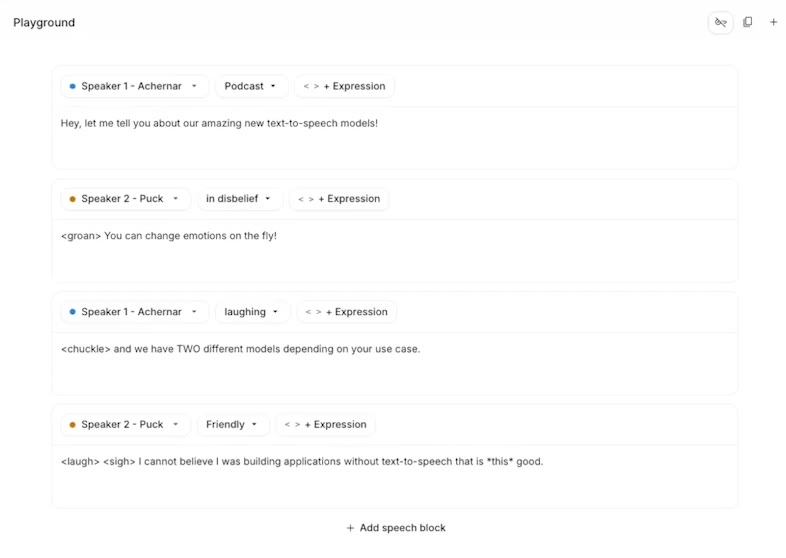
Gemini 3.8 TTS: cast a voice in one sentence, then direct game dialogue and narration with tags
genevieve__h demos Gemini 3.8 TTS: a one-sentence casting note becomes a persistent voice, and direction lines plus inline tags steer every beat. Here's how to use it for game dialogue and video narration.
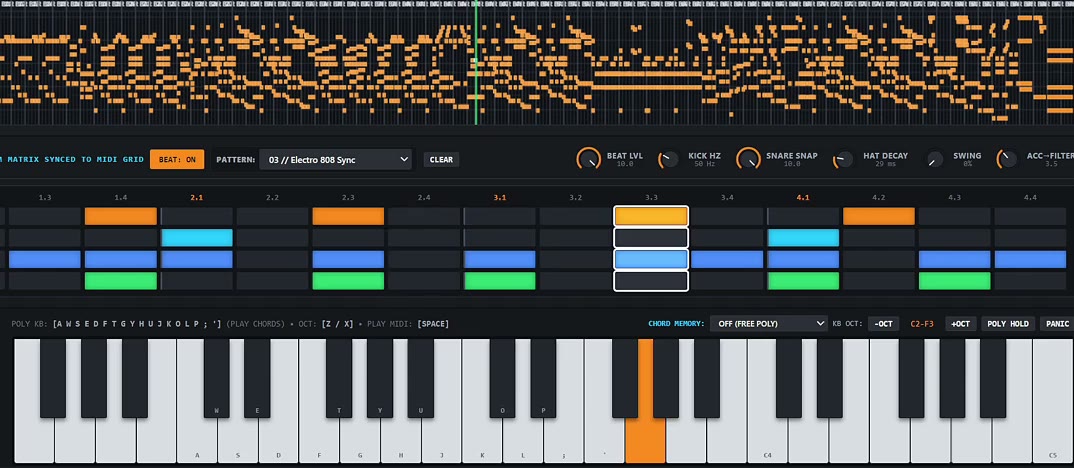
Gemini 4 Argon builds a Jupiter/Moog combo synth in one HTML file, in under 30 minutes
maxescu had Gemini 4 Argon build an 8-voice retro synth in under half an hour, all in a single HTML file. We read the live source to show how it's structured and how to get a model to hand you a playable instrument.
An AI voice reads everything AI voices can't do: a 44-second spec ad for Eleven v4
Former ElevenLabs employee Burak Tuyan wrote a list of 'can't dos' and had Eleven v4 perform each one. The script trick, the shots that hide the mouth, and the twist.
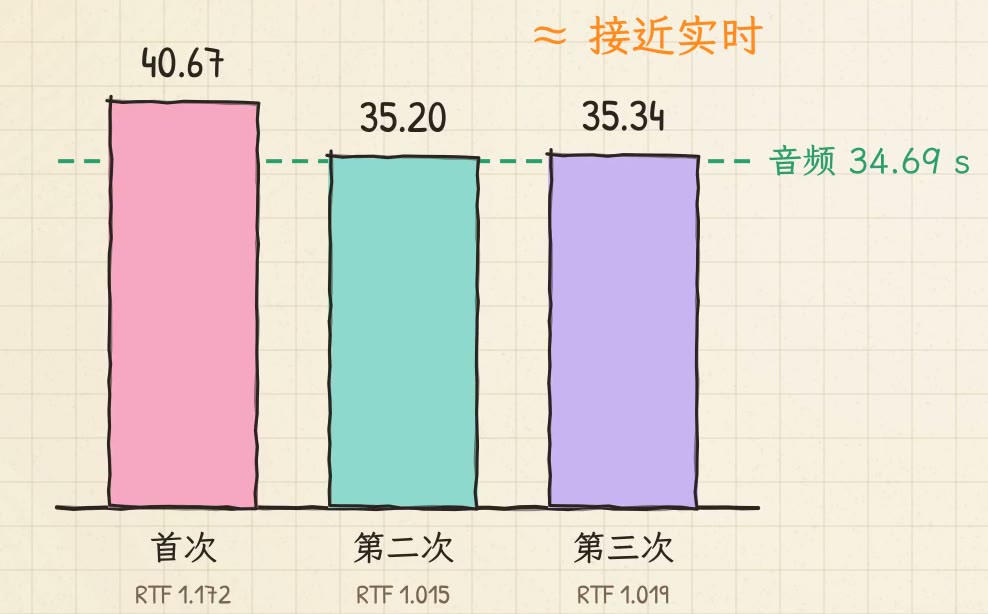
Voice cloning from a Mac with no NVIDIA card: IndexTTS 2.5 on a Colab L4, near real time
nicekate drives the open-source IndexTTS 2.5 on a Colab L4 from her Mac: 34.69 seconds of narration in about 35 seconds. Her three-layer setup, reference audio, settings and compute budget.